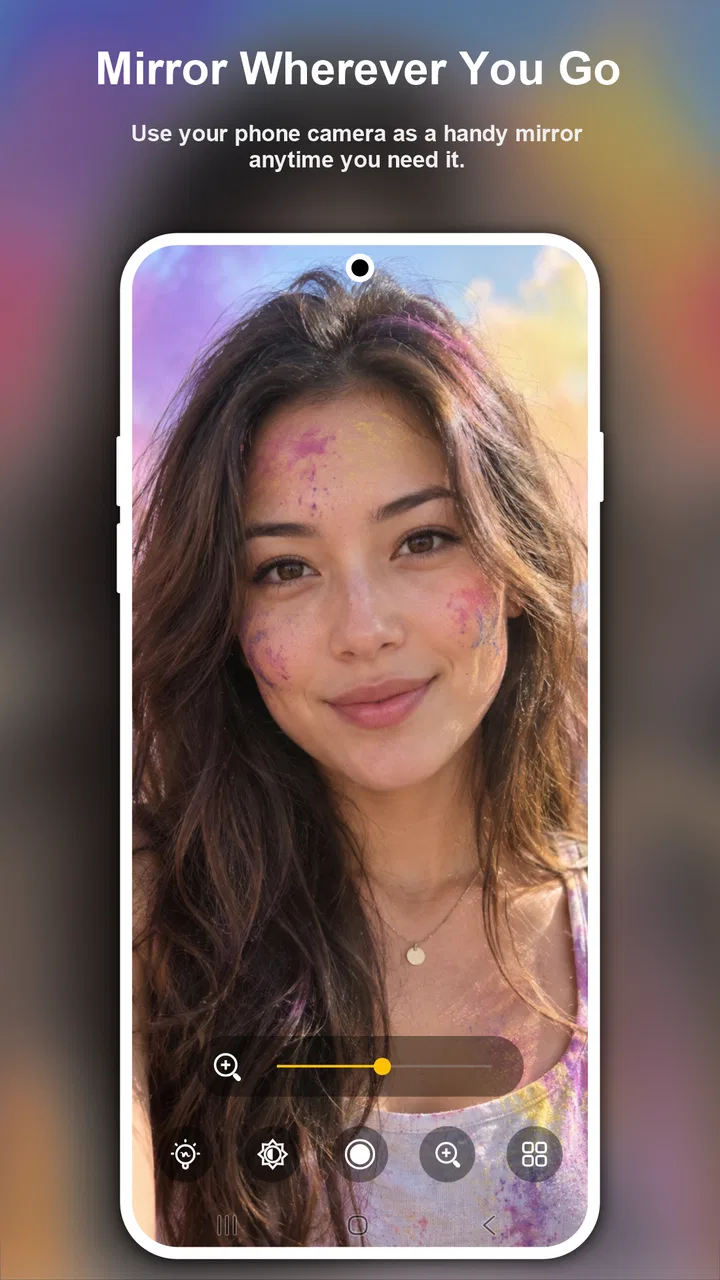
Mirror
- 4.4
- Rating
- 500.00K
- Installs
- Free
- Price

 Analysis by App-foxy
I often notice the difference between a useful tool and an unnecessary one only when I need it quickly. Mirror, the beauty app from Mabixa, belongs to that first group for a very specific reason: it turns a phone into a practical reflection surface when I am putting on makeup, checking facial hair, or making a quick appearance check. That sounds simple, and it is, but the simplicity is exactly what makes the app worth considering.
After using it, I would describe Mirror as a focused utility rather than a complete beauty suite. It does not try to teach makeup, recommend products, or replace a dedicated camera editor. Its job is narrower: give me a view of my face when a normal mirror is not nearby. That focus makes it easy to understand, although it also means the app will not satisfy someone looking for filters, tutorials, retouching tools, or a larger set of beauty features.
The app is free to install, with optional in-app purchases priced at $3.99 per item. It is rated for Everyone, and it runs on devices using Android 7.0 or later. Mabixa has positioned it in the Beauty category, but I found its everyday value closer to a small personal utility that happens to serve grooming routines.
You May Also Like

 Blood Strike: 2.5 Anniversary
Blood Strike’s Loadouts Turn Every Drop Into a Tactical Gamble
A close look at Blood Strike’s custom loadouts: how fast access to signature weapons reshapes its battle royale rhythm, rewards preparation, and narrows the gap between fights.

 Pandora - Music & Podcasts
Pandora’s Music Is Easy to Start, but Harder to Recover
Pandora’s strength is its low-effort path from a seed to a station. Its weak spot is how much confidence it asks you to place in connection, setup, and quiet recovery.

 8 Ball Pool
 Is Built on Rivalries, Rematches, and Routine
A close look at the rivalries, rematches, shared routines, and unanswered safety questions that turn a quick pool match into a persistent mobile community.

 Samsung Music
’s Quiet Strength Is Playing What You Already Own
Its reach comes less from spectacle than from dependable access to a personal library. That simplicity is both the app’s strongest retention engine and its ceiling.

 AccuWeather: Weather Radar
AccuWeather Review: A Quick, Clear Forecast for Everyday Decisions
For everyday plans, the best forecast is the one you can understand quickly. AccuWeather makes rain timing, radar, and local conditions easy to act on, with a few trade-offs.

 Hill Climb Racing
Why Hill Climb Racing Still Turns Crashes Into One More Run
A tiny car, a bumpy hill and one more upgrade: Hill Climb Racing keeps resurfacing because its simple chaos makes every near-miss feel personal.
More From Our News Desk
View All News


Why the mirror function matters more than it sounds
The central capability is straightforward: I can use the phone screen to see my face while preparing myself. The real benefit is not that the phone creates a more beautiful image. It is that the screen is available in places where a wall mirror, compact mirror, or bathroom mirror may be inconvenient, badly positioned, or simply missing.
That distinction matters. A normal camera app is designed around taking a picture, while this app is designed around looking at myself in the moment. I do not have to treat the task as photography or save an image just to inspect my face. For a quick check before leaving home, that lighter approach feels more natural.
I found the capability especially useful for small corrections rather than full makeup sessions. Checking whether an eyebrow looks even, cleaning a smudge near the eye, inspecting the edge of lipstick, or checking a shaving line are all tasks where I only need a clear view for a short time. The phone becomes a portable viewing surface instead of another camera feature competing for attention.
There is also a practical advantage for people who do not always have access to a private, well-lit mirror. A shared bathroom, a workplace restroom with an awkward mirror, a hotel room, or a car parked before an appointment can all create situations where a phone is the most convenient option. I would not call it a replacement for every mirror, but it is a useful backup that takes almost no planning.
How the focused design changes the experience
Because the purpose is so specific, I do not approach Mirror with the same expectations I would bring to a social camera or a makeup simulator. The value comes from reducing the number of steps between opening the app and seeing what I need to see. That makes it suitable for a rushed routine, particularly when I am already holding the phone and do not want to search through several unrelated tools.
A useful way to think about it is as a visual check rather than a beauty transformation. If I want to know whether my foundation has settled unevenly around my nose, I need an honest view. If I want to experiment with a dramatic look before applying it, a dedicated makeup app may be more appropriate. Mirror is strongest when I need to inspect reality, not preview an edited result.
This also makes the app less intimidating for people who rarely use beauty applications. Someone who does not want filters, lessons, product suggestions, or social sharing can still understand the reason to install it. The short description is simply “Mirror,” and that plain identity matches my experience: the app is easier to judge by using it for a real grooming task than by expecting a broad feature package.
Using it during an ordinary grooming routine
My most realistic use case is a last-minute check before going out. I might apply makeup in a room with no suitable mirror, then open Mirror to inspect the result near a window or under the room’s available light. I can look at the overall balance first, then move the phone closer for details around the eyes and mouth. That sequence is more useful than taking a selfie because I am not trying to produce a final image; I am checking whether I am ready.
For shaving, I would use it in a similar way. The phone can help me inspect an area that is difficult to see from one angle, especially along the jaw or beneath the chin. I would still be careful around water and would not treat a phone as a substitute for a properly positioned bathroom mirror. The app helps with visibility, but it does not remove the usual need to handle the device safely.
One small workflow improvement is to prepare the viewing environment before starting. I get a more useful result when I stand near a consistent light source instead of relying on a dark room. Light coming directly from above can exaggerate shadows, so checking from a brighter, more even position gives me a better sense of how the makeup or shaving looks in normal surroundings.
Another practical tip is to hold the phone at a natural face height rather than pointing it sharply upward from below. A low angle can make features look different from how they appear to other people. Mirror cannot correct that perspective issue; the quality of the check depends partly on how I position the device. Holding it at eye level and taking a moment to inspect both sides is a simple habit that makes the app more useful.
I also prefer using it in short passes. Looking at the screen continuously while applying makeup can become awkward, particularly if I am trying to use both hands. A better routine is to apply one part, pause, inspect, and then continue. That turns the app into a checkpoint rather than something I have to keep balancing throughout the entire process.
Where it fits beside the usual alternatives
The obvious alternative is the front-facing camera already included with a phone. That option may seem identical, but the difference is in intention. A camera app usually brings controls, capture buttons, previews, and a mindset built around recording an image. Mirror feels more direct for a temporary inspection. If I only want to see my face and continue with my routine, a dedicated mirror utility can feel less distracting.
A compact physical mirror remains better in several situations. It works without battery concerns, can be held at a convenient angle, and does not require me to keep a phone near makeup, water, or shaving products. It is also easier to share with another person. I would choose a physical mirror for a long preparation session and Mirror for convenience when I am already carrying the phone.
A bathroom mirror is still preferable for a full grooming routine because it leaves both hands free and usually provides a larger view. The phone app wins when the available mirror is too far away, poorly placed, or unavailable. That is the trade-off in one sentence: Mirror offers portability and immediate access, while traditional mirrors offer comfort and a more natural hands-free setup.
Beauty camera applications can provide more visual experimentation, but that extra functionality can work against honest inspection. Filters and enhancement tools may make a face look polished without showing whether makeup is actually blended. For someone who wants to check the real result before leaving, Mirror’s narrower purpose is an advantage.
Trade-offs I noticed while relying on a phone
The biggest limitation is not complicated software; it is the physical nature of the device. A phone is smaller than a wall mirror, so I cannot see as much of my face and hair at once. I need to move it around for different angles, and that can interrupt whatever I am doing. The app solves access, not every ergonomic problem associated with using a phone as a mirror.
Hand placement is another consideration. If I am applying eyeliner or shaping a beard, one hand may hold the phone while the other does the work. That is manageable for quick corrections, but less comfortable than using a mounted mirror. For detailed work that takes several minutes, I would rather use a stable physical mirror and keep both hands available.
Lighting can also influence my judgment. The app gives me a view of my face, but it cannot make poor lighting representative. A dim room may hide uneven blending, while harsh overhead light may make minor imperfections look more serious than they are. I recommend checking near the light in which I will actually spend time, especially before an event or appointment.
There is a trade-off between convenience and device care as well. Makeup powder, creams, shaving foam, and water are not ideal companions for a phone. I keep the device away from direct splashes and clean the screen afterward if I have been handling products. This is not a defect unique to Mirror, but it is an important reason not to abandon a physical mirror entirely.
The free entry point makes it easy to try, but the presence of optional purchases means I would pay attention to any upgrade prompt and decide whether it adds value to my routine. Since the core appeal is the basic mirror function, I would not assume that paying is necessary before testing the free experience. A person who only needs occasional checks may find the no-cost option sufficient, while a frequent user can decide based on the specific extras offered inside the app.
Mirror is also not the right choice for someone who expects professional-level makeup guidance. It does not turn a viewing tool into an instructor. Beginners who need help choosing shades, learning application techniques, or understanding skin preparation should look for a dedicated educational app or consult a professional. This app can show me what I have done, but it does not explain how to do it.
Small habits that make the app more useful
I get better results when I clean the phone screen before opening the app. Smudges can create a distracting layer between me and the reflection, particularly when I am checking fine details. This is an easy step to overlook because the phone may look clean enough for ordinary use, but a mirror-like task makes screen marks much more noticeable.
I also avoid judging makeup from only one distance. At close range, I can inspect edges and small areas; at arm’s length, I get a more realistic impression of the overall look. Switching between those distances helps me avoid correcting a tiny detail so aggressively that the complete appearance becomes less balanced.
For shaving, I find it useful to inspect the face in sections instead of moving the phone randomly. I can check one side, the center, and the other side, then tilt the device slightly to inspect the jawline. This is a simple workflow, but it reduces the chance of overlooking one area just because the phone angle stayed fixed.
These habits reveal an important point: the app’s usefulness depends partly on technique. Mirror provides the view, but I still need to manage light, distance, angle, and device safety. Someone expecting the app to automatically improve visibility in every environment may be disappointed. Someone willing to use it as a portable inspection tool will probably get more from it.
Who will benefit most from this Beauty app
I would recommend Mirror to people who frequently find themselves without a convenient mirror and already carry a phone. It is especially suitable for quick makeup checks, shaving touch-ups, eyebrow inspection, or confirming that nothing has been left on the face before an important meeting. The app’s focused purpose makes sense for commuters, travelers, students, and anyone who moves between rooms or locations during the day.
It can also help someone who wants a backup rather than another complicated beauty platform. The app is free to start, has an Everyone age rating, and supports Android devices beginning with version 7.0, so its basic audience is broad. Its current version is 3.1, and the app has reached over 500 thousand installs with a 4.4 average from around 4.3 thousand ratings. Those figures suggest that the straightforward idea has found a substantial audience, but I still judge it by whether it fits my routine rather than by popularity alone.
I would be more cautious about recommending it to people who dislike holding a phone while getting ready. If both hands need to stay free, a physical mirror with a stand is the better choice. The same is true for anyone who spends a long time applying makeup or shaving in detail. Mirror is most comfortable as a portable solution for brief inspections, not as a full replacement for a dedicated setup.
It is also less suitable for users who want editing, tutorials, virtual try-ons, or social-ready photos. Those needs belong to other categories of beauty and camera tools. Installing Mirror with those expectations would make the app seem limited, even though its narrow focus is intentional and useful.
For parents or younger users, the Everyone rating makes the app approachable as a simple utility. Still, the usual care around phones, cosmetics, sharp grooming tools, and water remains important. The rating describes the app’s general content, not the physical safety of every situation in which someone might use a phone as a mirror.
My recommendation after using it
Mirror succeeds because it treats one small inconvenience seriously. When I need to see my face and a proper mirror is not available, the app gives me a direct solution without asking me to turn the task into photography, editing, or social sharing. That makes it genuinely handy for quick checks, especially when I am traveling or getting ready in an unfamiliar place.
Its limitations are equally clear. The phone is smaller and less comfortable than a real mirror, lighting still matters, and detailed routines are easier with both hands free. Optional purchases also mean I would try the basic experience before spending anything. These are reasonable compromises for portability, but they prevent me from calling it a universal replacement.
My final view is that Mirror is worth trying if the specific problem is access to a mirror, not a lack of beauty advice. I would keep it installed as a backup for makeup and shaving checks, while still using a physical mirror for longer routines. If that matches your needs, Mabixa’s focused app does its job with useful simplicity. If you want transformation tools, instruction, or hands-free preparation, choosing a different beauty solution will make more sense.
FAQs for Mirror
01What is Mirror and what does it do?
Mirror is a versatile app that transforms your smartphone into a functional mirror. It uses your front-facing camera to provide a real-time reflection, allowing you to check your appearance on the go. The app often includes features like zoom, brightness adjustment, and freeze frame for a closer look.
02Is Mirror app free to use or does it require a purchase?
The Mirror app is generally free to download and use, but it may offer in-app purchases. These purchases can unlock additional features like ad-free usage or enhanced functionalities. Always check the app store listing for details on any potential costs before downloading.
03Does the Mirror app require an internet connection?
No, the Mirror app typically does not require an internet connection to function. It operates using your device's camera and internal resources. However, an internet connection may be needed for downloading updates or accessing certain premium features if available.
04How does the Mirror app ensure my privacy?
The Mirror app uses your device's camera to provide a reflection, but it does not store or transmit any images or data. Always review the app’s privacy policy to ensure your data is handled securely and remains private. User reviews can also provide insights into any privacy concerns.
05What devices are compatible with the Mirror app?
Mirror is usually compatible with most Android and iOS devices that have a front-facing camera. Ensure your device meets the app’s minimum operating system requirements as listed in the app store. Some features might work better on newer devices with advanced camera capabilities.
Pros
- User-friendly interface for easy navigation.
- High-quality reflection and clarity.
- Quick and responsive real-time adjustments.
- Customizable settings for personalized use.
- Lightweight and consumes minimal storage.
Cons
- Lacks advanced editing features.
- Ads can be intrusive during use.
- Limited free features without upgrade.
- No direct sharing to social media.
- Requires constant internet connection.

Mirror
Gallery